Marketing

Facebook Ads Mistakes to Avoid in 2026

Facebook Ads Mistakes to Avoid in 2026 In the dynamic world of social advertising, what worked yesterday may not cut it in 2026. With changes in algorithms, privacy rules, and user behavior, running effective Facebook Ads requires vigilance. Whether you’re a small business owner, marketer or agency, avoiding the key mistakes outlined below will help you preserve budget, drive results and stay ahead of the curve. Why Getting Facebook Ads Right Matters in 2026 “Just throw up an ad and hope for the best” no longer works. Facebook (and its parent company Meta Platforms) has tightened targeting, increased automation and raises the bar for ad relevance. As one recent report noted, Meta aims to offer full AI-powered ad creation and targeting by the end of 2026. Getting ads right means: Your budget works harder. You reach the right audience with relevance and avoid wasted spend. You align with user behavior, voice search trends, and answer-engine needs (e.g., people asking “Which business can help me near me?”). You avoid pitfalls that lead to ad fatigue, poor performance or banned accounts. Top Mistakes to Avoid with Facebook Ads in 2026 Mistake 1: No Clear Objective or Mis-Matched Campaign Goal Many advertisers launch a campaign without a well-defined goal, or choose a campaign objective that doesn’t align with the actual business outcome. Fix: Before you launch, ask: What exactly do I want? More website sales? Leads? App installs? Choose the right objective in Ads Manager and ensure your ad creative, target audience and landing page align with that outcome. Mistake 2: Poor Audience Targeting – Too Broad or Too Narrow Casting a wide net may increase impressions, but you’ll get low relevance. Targeting too narrowly may choke your reach and the algorithm can’t optimise properly. Fix: Use a layered targeting strategy—interests, behaviours, demographics, then exclude irrelevant segments (e.g., prior customers). Use Lookalike Audiences. Continuously test and refine. Mistake 3: Weak Creative, Copy or Format In 2026 users scroll fast, ad fatigue is real, and plain static images or generic copy won’t cut it. Fix: Use mobile-first formats (vertical video, carousel). Strong visuals: real people, authenticity, bold CTA. Copy should be clear, benefit-driven, short enough for voice search and mobile. Rotate creatives regularly to avoid fatigue. Mistake 4: Ignoring Tracking, Pixel & Data Integration If you can’t track conversions or feed data back to the system, optimisation suffers. Many advertisers neglect the Meta Pixel or the Conversions API. Fix: Install Pixel across site with correct events (ViewContent, Lead, Purchase). Use Conversions API for server-side data. Verify tracking via test tools. Use data to build better audiences and feed into voice/answer-engine scenarios (“What product solved this problem?”). Mistake 5: Setting a Budget That’s Either Too Small or Too Big Without Strategy Cheap budget doesn’t give the algorithm enough data; huge spend without good targeting eats cash. Fix: Start modest but meaningful budget for your market (e.g., US $/day depending on role). Let the campaign collect data; once you see stable performance, scale. Use Campaign Budget Optimization (CBO) if appropriate. Stop spending on under-performers, reallocate. Mistake 6: Landing Page or UX Doesn’t Match the Ad Even the best ad fails if the landing page is slow, irrelevant or mismatched. Fix: Ensure ad messaging, visuals and CTA match landing page content. Mobile-optimize the page (most Facebook traffic is mobile). Ensure fast load time, minimal friction, clear next step. Use tracking parameters to monitor audience behaviour. Conclusion In 2026, successful Facebook Ads are less about “just boosting posts” and more about strategic funnel design, precise targeting, high-quality creative, data-driven tracking and optimisation, and aligning with voice/search behaviour. Avoiding the mistakes listed above will help you preserve budget, deliver stronger ROI and stay ahead of the changing ad landscape.Take the time to audit your current campaigns, fix any of the above leaks, and set a plan for continuous testing and optimisation. Company We deliver exceptional consumer experiences across Arizona, Colorado, and New Mexico, offering accounting services, construction, and digital strategy. Our focus is on meaningful results and ensuring client satisfaction. Contact Info (480) 339-0108 24/7 Support for Your Business Features Accounting Services Estimating Services Digital Marketing Services HR Services Most Recent Posts All Posts Accounting Estimating Human Resources Marketing   Back Accounting Facebook Ads Mistakes to Avoid in 2026 Free Job Posting Platforms for US Employers: A Complete Guide for 2026 Bookkeeping Basics for Small Businesses Explore Our Services We specialize in Accounting, Estimating, Marketing, and HR services, offering solutions that drive business success and growth. Explore More Category Accounting (36) Estimating (17) Human Resources (9) Marketing (22) Tags accounting Estimating marketing

Facebook Ads Mistakes to Avoid in 2026 Read More »

ChatGPT Atlas: The Future of AI Browsing

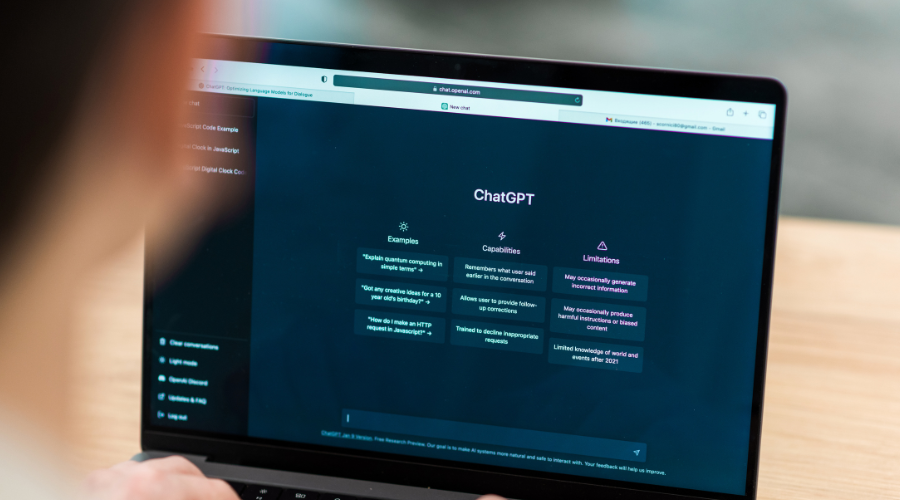
ChatGPT Atlas: The Future of AI Browsing Artificial Intelligence has rapidly transformed the way we communicate, create, and search for information. Now, OpenAI has taken a bold step forward with ChatGPT Atlas, an AI-powered web browser designed to revolutionize online navigation. Unlike traditional browsers, ChatGPT Atlas integrates ChatGPT directly into your browsing experience—summarizing pages, automating tasks, researching on your behalf, and helping you complete actions with a single command. This blog explores what ChatGPT Atlas is, how it works, its key features, benefits, limitations, and why it represents the future of internet browsing. What Is ChatGPT Atlas? ChatGPT Atlas is a next-generation web browser built by OpenAI that blends a standard browsing interface with a powerful AI assistant. Instead of merely showing you web pages, Atlas helps you interpret, analyze, and act on what you see online in real time. Why Is It Different? Traditional browsers only display information.ChatGPT Atlas understands it. The browser can: Research multiple sites and compare information Automate complex multi-step tasks Help you write, respond, or edit content on any webpage Key Features of ChatGPT Atlas 1. AI Sidebar with Instant Assistance With a built-in ChatGPT sidebar, users can: Ask questions about the page they’re viewing Request summaries, definitions, or comparisons Rewrite or translate on-page text Extract key points and insights 2. Browser Memories Atlas can (optionally) remember your preferences, past research, and interests to deliver personalized suggestions. You can turn this feature on or off at any time. 3. Agent Mode For paid ChatGPT plans, Agent Mode allows Atlas to take actions for you, such as: Planning a trip and booking reservations Collecting data from multiple websites Adding items to carts and comparing products Creating reports or research brief This transforms browsing from manual searching to automated execution. 4. Privacy Controls OpenAI states that browsing data is not used for training models unless the user explicitly allows it. You can manage: What Atlas remembers What sites it can analyze When to browse privately Benefits of Using ChatGPT Atlas Faster Information Processing No more scrolling through long pages. Atlas summarizes content instantly and delivers answers without opening dozens of tabs. Boosted Productivity Students, professionals, researchers, and business owners can automate repetitive tasks and reduce time spent searching, copying, and filtering information. Smarter Decision-Making With comparison tools and AI-powered analysis, Atlas helps you make clearer, faster, and more informed choices. Who Will Benefit the Most from ChatGPT Atlas? Students & researchers — faster reading, summarizing, and studying Business owners — automate workflows and research competitors Content creators & marketers — write, rewrite, plan, and optimize content Everyday users — smarter browsing with fewer tabs and less time Conclusion ChatGPT Atlas is rewriting the rules of the internet experience. With built-in AI intelligence, automation, and contextual understanding, it offers a faster, smarter, and more personalized way to navigate the web. Although it comes with challenges, its potential is undeniable and marks a major leap forward in how humans will interact with information. Company We deliver exceptional consumer experiences across Arizona, Colorado, and New Mexico, offering accounting services, construction, and digital strategy. Our focus is on meaningful results and ensuring client satisfaction. Contact Info (480) 339-0108 24/7 Support for Your Business Features Accounting Services Estimating Services Digital Marketing Services HR Services Most Recent Posts All Posts Accounting Estimating Human Resources Marketing   Back Accounting Employee Retention Programs for Small Business: Keep Your Best Talent What Marketing Channels Work Best in 2025? HR Automation Tools for Small Business (2026 Guide) Explore Our Services We specialize in Accounting, Estimating, Marketing, and HR services, offering solutions that drive business success and growth. Explore More Category Accounting (36) Estimating (12) Human Resources (9) Marketing (21) Tags accounting Estimating marketing

ChatGPT Atlas: The Future of AI Browsing Read More »

HR Automation Tools for Small Business (2026 Guide)

HR Automation Tools for Small Business in 2026 Managing human resources manually can be overwhelming for small business owners who juggle multiple responsibilities dailyFrom payroll to onboarding and performance tracking, HR tasks can consume hours that could be spent growing your businessThat’s where HR automation tools come in—powerful solutions designed to simplify workflows, reduce errors, and improve employee satisfaction In this guide, you’ll learn about the top HR automation tools for small businesses, what to look for, and how automation can transform your HR operations 1 Optimize Your HR Processes with Automation HR automation helps eliminate repetitive administrative work while ensuring compliance and accuracyTasks like attendance tracking, benefits management, and document organization can be automated, allowing your HR team to focus on strategy and people development Benefits of HR automation for small businesses Reduces time spent on manual data entry Improves accuracy and minimizes compliance risks Enhances employee experience and communication Streamlines onboarding and offboarding Provides real-time data for better decision-making 2 Best HR Automation Tools for Small Businesses in 2025 Here are the top-rated HR automation tools that small businesses can use to manage their teams efficiently and cost-effectively BambooHR A user-friendly HR software designed for small to medium businesses that automates employee data management, onboarding, and performance reviewsIt includes time tracking, customizable workflows, and advanced reporting Gusto Gusto simplifies payroll, benefits, and compliance managementIt’s a great choice for small businesses needing an all-in-one HR and payroll solution that’s easy to set up and use Zoho People Zoho People offers cloud-based HR management with modules for leave tracking, performance evaluation, and employee self-service portalsIt integrates seamlessly with other Zoho apps for a complete business solution Deel Deel specializes in global HR automation, helping businesses manage contractors and employees across bordersIt simplifies compliance, international payments, and remote onboarding Rippling Rippling combines HR, IT, and payroll management in one platformIt automates employee data updates across systems when new hires join or roles change 3 Key Features to Look for in HR Automation Tools When choosing an HR automation solution, consider your business size, goals, and team structure Essential features to prioritize Cloud-based accessibility for remote teams Integration with accounting and project management tools Customizable workflows and employee self-service portals Compliance management and reporting Mobile accessibility for on-the-go management Selecting the right tool can help your business grow faster by saving time and reducing administrative costs 4 How HR Automation Improves Employee Experience Automation isn’t just about efficiency—it’s also about creating a better experience for your employeesSelf-service portals, automated onboarding, and instant access to pay stubs or benefits information empower employees and reduce frustration When staff members can easily manage their HR tasks, satisfaction and engagement rise, which translates to lower turnover and higher productivity 5 Common Mistakes to Avoid When Implementing HR Automation Even with great tools, automation can fail if not executed strategicallyAvoid these common mistakes Choosing software without testing its scalability Ignoring employee training and change management Focusing only on payroll instead of full HR processes Overlooking data security and privacy compliance Proper planning and ongoing evaluation will ensure long-term success with automation 6 The Future of HR Automation for Small Businesses In 2025, artificial intelligence and predictive analytics are redefining HR automationAI-driven platforms can now forecast employee turnover, improve recruitment decisions, and personalize engagement strategiesSmall businesses that adopt these innovations early will stay ahead in productivity and talent retention Conclusion: Start Improving Your Website Ranking Today Implementing HR automation tools for small business is no longer optional—it’s a smart investment that saves time, enhances compliance, and strengthens company cultureFrom payroll automation to AI-driven analytics, these tools empower your business to scale efficiently and focus on what truly matters—your people If you’re ready to streamline your HR operations and choose the best software for your business needs, our team can help you select, integrate, and optimize the right solution Contact us today to get started with smarter HR automation Company We deliver exceptional consumer experiences across Arizona, Colorado, and New Mexico, offering accounting services, construction, and digital strategy. Our focus is on meaningful results and ensuring client satisfaction. Contact Info (480) 339-0108 24/7 Support for Your Business Features Accounting Services Estimating Services Digital Marketing Services HR Services Most Recent Posts All Posts Accounting Estimating Human Resources Marketing   Back Accounting How to Improve Website Ranking How Do Preconstruction Services Save Money on Projects? Best AI Tools for Small Business in 2025 Explore Our Services We specialize in Accounting, Estimating, Marketing, and HR services, offering solutions that drive business success and growth. Explore More Category Accounting (36) Estimating (12) Human Resources (9) Marketing (20) Tags accounting Estimating marketing

HR Automation Tools for Small Business (2026 Guide) Read More »

Best AI Tools for Small Business in 2025

Best AI Tools for Small Business in 2025 Introduction: Why Small Businesses Need AI Tools Artificial Intelligence is no longer just a resource for large corporations. Today, small businesses can take advantage of affordable and user-friendly AI tools to streamline operations, attract more customers, and compete in ways that were previously impossible. From automating repetitive tasks to generating data-driven insights, AI is helping small businesses save time, reduce costs, and focus on growth. The challenge lies in choosing the right tools that fit your business size and goals. This guide highlights the best AI tools for small businesses that deliver practical value without requiring a big budget. ChatGPT/ Deepseek: Content and Customer Support One of the most popular AI tools for small businesses is ChatGPT. It can generate blog posts, social media captions, emails, and even product descriptions within seconds. Beyond content creation, many businesses use it as a customer support assistant, answering common questions through chatbots or email automation. By reducing the time spent on writing and client communication, ChatGPT allows small business owners to focus on strategy and customer relationships while still maintaining a professional digital presence. Jasper AI: Marketing and Copywriting Jasper AI is designed to help small businesses with persuasive copywriting. Whether you need sales pages, email campaigns, or ad headlines, Jasper provides optimized text that aligns with your target audience. Many entrepreneurs use it to overcome writer’s block and produce high-quality content faster. For businesses with limited marketing teams, Jasper offers the ability to create professional-level campaigns without outsourcing copywriting. Grammarly: Professional Writing and Communication Clear communication is critical in every business interaction. Grammarly uses AI to review and improve emails, contracts, proposals, and social media posts. It corrects grammar errors, suggests better word choices, and ensures your writing is professional and engaging. For small businesses without a dedicated editor, Grammarly serves as a cost-effective solution to enhance credibility and avoid communication mistakes. Canva with AI Features: Design for Non-Designers Design plays a major role in branding and customer engagement. Canva has become a go-to platform for small businesses, and its AI-powered features make design even easier. With AI-generated templates, image suggestions, and automated resizing for different platforms, Canva helps small business owners create professional graphics, social media posts, and presentations quickly. It eliminates the need for expensive design software or hiring a full-time designer. QuickBooks with AI: Smarter Accounting Accounting and bookkeeping are essential yet time-consuming tasks. QuickBooks integrates AI to automate data entry, categorize expenses, and generate financial insights. Small business owners can track cash flow, forecast profits, and even prepare for taxes with minimal effort. By reducing human error and saving hours of manual work, AI-powered QuickBooks helps business owners make smarter financial decisions that directly impact profitability. HubSpot CRM: AI for Sales and Marketing Managing customer relationships is easier with HubSpot CRM, which incorporates AI to analyze leads, personalize marketing campaigns, and predict customer behavior. For small businesses trying to improve sales pipelines, HubSpot offers AI-driven recommendations that improve conversion rates and strengthen client retention. Its automation features allow even small teams to compete with larger competitors in managing customer relationships effectively. Conclusion: Choosing the Right AI Tools AI is no longer optional—it is a powerful ally for small businesses looking to grow efficiently. Tools like ChatGPT, Jasper, Grammarly, Canva, QuickBooks, HubSpot, Surfer SEO, and Otter AI each address specific business needs, from content creation to customer management. The best approach is to start small by selecting one or two tools that solve your most urgent challenges. Over time, you can expand your AI toolkit to cover more areas of your business operations. By choosing the right AI tools, small businesses gain a competitive advantage, increase profit margins, and free up valuable time to focus on what truly matters: serving customers and building long-term success. Company We deliver exceptional consumer experiences across Arizona, Colorado, and New Mexico, offering accounting services, construction, and digital strategy. Our focus is on meaningful results and ensuring client satisfaction. Contact Info (480) 339-0108 24/7 Support for Your Business Features Accounting Services Estimating Services Digital Marketing Services HR Services Most Recent Posts All Posts Accounting Estimating Human Resources Marketing   Back Accounting How to Choose a Back Office Support Provider SEO Tools for Small Business Owners: The Ultimate Guide to Boost Online Visibility Affordable hiring solutions for small business Explore Our Services We specialize in Accounting, Estimating, Marketing, and HR services, offering solutions that drive business success and growth. Explore More Category Accounting (36) Estimating (12) Human Resources (9) Marketing (17) Tags accounting Estimating marketing

Best AI Tools for Small Business in 2025 Read More »

Best AI Tools for Business

Best AI Tools for Business in 2025 Artificial Intelligence (AI) is no longer a futuristic concept — it’s a daily tool that helps businesses save time, cut costs, and make smarter decisions. From automating tasks to improving customer experiences, AI tools are transforming how companies operate in 2025. Whether you run a small business or a growing enterprise, adopting the right AI solutions can give you a serious competitive edge. In this blog, we’ll explore the best AI tools for business in 2025, their benefits, and how they can help you succeed. 1. ChatGPT / Claude IA – Content & Customer Support One of the biggest mistakes entrepreneurs make is mixing personal and business accounts. Open a dedicated business bank account and credit card. This makes tracking expenses easier and ensures your records are clean come tax time. 2. All-in-One AI Workspaces / Lumio AI Launched in 2025, this multi-model platform unifies access to ChatGPT, Gemini, Claude, Grok, Perplexity, and more. Its standout features include smart model switching, team collaboration tools, cost optimization, and customizable AI “personalities”—a flexible and affordable hub for business AI experimentation. 3. QuickBooks with AI – Smart Bookkeeping Bookkeeping is easier than ever with QuickBooks AI features. In 2025, QuickBooks uses machine learning to: Categorize expenses automaticallyPredict cash flowSimplify tax preparation 👉 Why it’s useful: Entrepreneurs can save time, reduce errors, and gain real-time financial insights. 4. Grammarly Business – Writing & Communication Clear communication is essential in business. Grammarly Business goes beyond grammar checking by: Improving tone and clarity in emailsOffering style suggestions for professional writingSupporting team communication 👉 Why it’s useful: Ensures your business communication is professional, polished, and mistake-free 5. HubSpot with AI – CRM & Sales Automation HubSpot now integrates advanced AI to help businesses improve sales and customer relationships: Predictive lead scoringAI-powered email personalizationAutomated sales workflows 👉 Why it’s useful: Small businesses can close deals faster and improve customer retention. 6. Generative AI Across Media & Content Types Synthesia – Leading for AI-powered video creation with avatars and multilingual support. Nano Banana, Midjourney, Adobe Firefly, DALL-E 3 – Top-tier solutions for generating images conceptually and creatively.  Copy.ai, Jasper, Rytr, Anyword – Excellent for content generation, marketing copy, email campaigns, and sales messaging 7. Zapier AI – Workflow Automation Zapier connects your favorite apps and automates repetitive tasks. With AI, it now: Suggests workflows based on your activityPredicts what automations will save you the most timeIntegrates with thousands of tools 👉 Why it’s useful: Eliminates manual work and keeps your business running efficiently. Final Thoughts AI is no longer optional—it’s a must-have for businesses in 2025. From marketing and customer support to finance and automation, these tools help entrepreneurs save time, reduce costs, and grow smarter. At Pivot Solutions, we help small and medium-sized businesses integrate the right tools — including AI solutions — to stay competitive in today’s fast-changing world. Contact us today to get started. Company We deliver exceptional consumer experiences across Arizona, Colorado, and New Mexico, offering accounting services, construction, and digital strategy. Our focus is on meaningful results and ensuring client satisfaction. Contact Info (480) 339-0108 24/7 Support for Your Business Features Accounting Services Estimating Services Digital Marketing Services HR Services Most Recent Posts All Posts Accounting Estimating Human Resources Marketing   Back Accounting Best AI Tools for Business Employee recruitment tips for small business SEO vs SEM: What’s the Difference and Which One Does Your Business Need? Explore Our Services We specialize in Accounting, Estimating, Marketing, and HR services, offering solutions that drive business success and growth. Explore More Category Accounting (32) Estimating (11) Human Resources (8) Marketing (17) Tags accounting Estimating marketing

Best AI Tools for Business Read More »

SEO vs SEM: What’s the Difference and Which One Does Your Business Need?

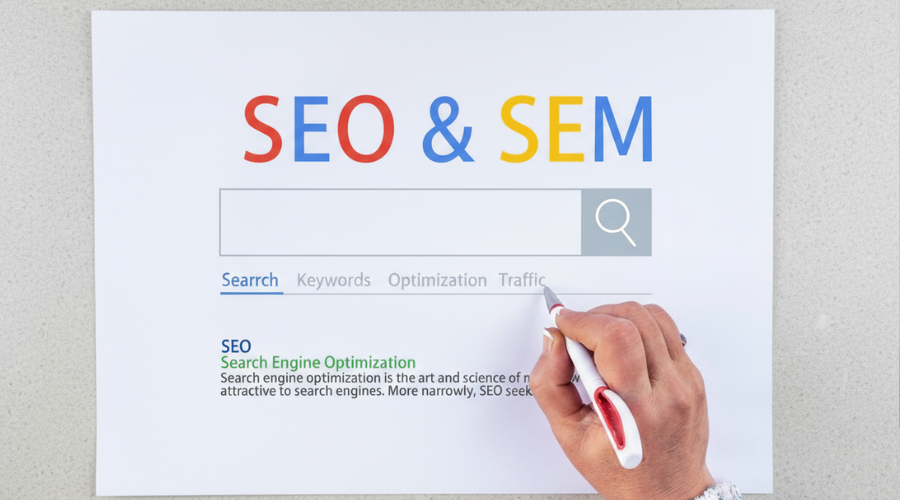
SEO vs SEM: What’s the Difference and Which One Does Your Business Need? Running a business today means making strategic decisions about online visibility. Two of the most common digital marketing strategies are SEO (Search Engine Optimization) and SEM (Search Engine Marketing). While they may sound similar, they work differently to grow your business online. Understanding the difference can save you time, money, and help you reach the right audience effectively. In this blog, we’ll cover the key differences between SEO and SEM and how to decide which strategy is right for your business. 1. Understand Your Business Goals Before choosing SEO or SEM, clarify your goals. Are you looking for long-term organic growth or quick, immediate traffic? Businesses with a limited budget often start with SEO for sustainable results, while those needing fast leads may combine it with SEM campaigns. 2. What is SEO? SEO (Search Engine Optimization) is the process of optimizing your website to rank higher in search engine results naturally. Key SEO benefits include: Driving organic, unpaid traffic Building long-term credibility and authority Improving website usability and mobile experience Creating optimized content and blog posts SEO takes time to show results, but the traffic it generates is cost-effective and sustainable 3. What is SEM? SEM (Search Engine Marketing) uses paid advertising to appear at the top of search results, most commonly through Google Ads. Key SEM benefits include: Immediate visibility for your business Targeted ads to reach specific audiences Pay-per-click (PPC) model, paying only for clicks Flexible campaigns that can be adjusted in real time SEM delivers faster results but requires an advertising budget and ongoing management. 4. Compare SEO vs SEM Feature SEO SEM Cost Free (time and effort needed) Paid (ads cost per click) Results Long-term growth Immediate traffic Traffic Type Organic Paid Best For Building authority, long-term ROI Quick leads, promoting new products Examples Optimized blogs, backlinks, website improvements Google Ads campaigns, PPC ads 5. Decide Which Strategy Fits Your Business If you want sustainable growth and trust-building, invest in SEO. If you need fast traffic or leads, start with SEM campaigns. For maximum results, consider a combined strategy: SEM for quick wins and SEO for long-term success. Final Thoughts SEO and SEM are not competitors—they complement each other. Understanding your business goals and audience will help you decide which strategy—or combination—fits best. If you’re looking to increase your online visibility and grow your business, Pivot Solutions can help with SEO, SEM, and full digital marketing strategies tailored to your goals. 👉 Ready to boost your online presence? Contact us today to get started. Professional Marketing Services in Arizona Professional Marketing Services in Arizona helps businesses grow by creating effective strategies, managing digital campaigns, and boosting brand visibility. We provide expert solutions tailored to your goals, driving results and engagement in the local and online market Company We deliver exceptional consumer experiences across Arizona, Colorado, and New Mexico, offering accounting services, construction, and digital strategy. Our focus is on meaningful results and ensuring client satisfaction. Contact Info (480) 339-0108 24/7 Support for Your Business Features Accounting Services Estimating Services Digital Marketing Services HR Services Most Recent Posts All Posts Accounting Estimating Human Resources Marketing   Back Accounting Benefits of Using QuickBooks for Bookkeeping How to Choose an Accountant for My Business How to Organize Business Receipts: for Small Business Owners Explore Our Services We specialize in Accounting, Estimating, Marketing, and HR services, offering solutions that drive business success and growth. Explore More Category Accounting (32) Estimating (11) Human Resources (7) Marketing (15) Tags accounting Estimating marketing

SEO vs SEM: What’s the Difference and Which One Does Your Business Need? Read More »

Why SEO Is Important for Small Business

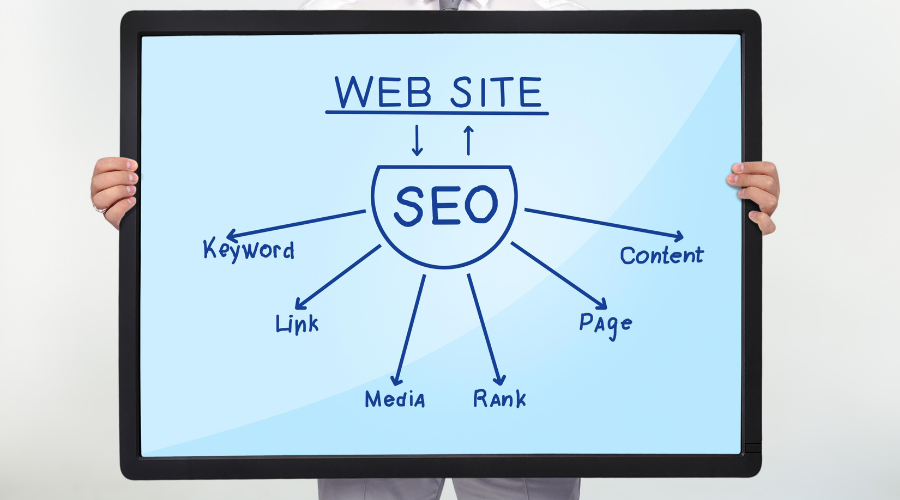
Why SEO Is Important for Small Business: A Guide for Entrepreneurs and Startups As a small business owner or startup founder, you probably wear many hats—managing operations, handling customer service, and maybe even designing your own flyers. But when it comes to digital marketing, there’s one strategy you can’t afford to ignore: Search Engine Optimization (SEO). Many entrepreneurs ask, “Is SEO really necessary for my small business?”The short answer? Yes 100%. Let’s explore why SEO is important for small business success in 2025 and beyond 🧠 Fun fact: 75% of users never scroll past the first page of Google results. That’s why showing up matters. What is SEO, and Why Should Small Businesses Care? SEO (Search Engine Optimization) is the process of improving your website so it ranks higher in search engine results—especially on Google. It’s about helping potential customers find your business when they’re actively searching for what you offer. Think of it this way: if someone searches for “best accountant near me” or “affordable marketing agency in Arizona,” and your business doesn’t appear, that opportunity goes to your competitor. Here’s the reality: Over 75% of users never scroll past the first page of search results.If your business isn’t ranking, you’re invisible SEO Benefits for Small Businesses 1. Increases Online Visibility and Traffic More than 90% of online experiences begin with a search engine. A well-optimized website helps your business show up in those search results, driving consistent, targeted traffic without paid ads or outreach. 2. Affordable SEO for Small Businesses Compared to traditional advertising or pay-per-click campaigns, SEO is a cost-effective strategy. Once your site is optimized and begins ranking, the traffic is free and long-term. Example: A local bakery optimized their site for “custom birthday cakes in Phoenix.” Within three months, online orders increased by 40%—with zero paid ads. 3. Local SEO for Small Business: Your Best Asset Local SEO helps your business appear in nearby or location-based searches such as “coffee shop near me” or “plumber in Tucson.” For businesses that rely on local customers, local SEO is critical for calls, visits, and visibility. Claiming and optimizing your Google Business Profile, collecting customer reviews, and ensuring your business details are consistent online are key steps. 4. Builds Trust and Credibility People trust Google. If your business ranks high in search results, customers are more likely to view you as reputable. Good SEO also improves your site’s load speed, mobile-friendliness, and overall user experience—factors that contribute to customer trust. 5. Attracts the Right Customers SEO isn’t just about more traffic; it’s about the right traffic. By targeting keywords your ideal customers are searching for, you attract visitors who are already interested in what you offer, increasing the chance of a conversion. Small Business Digital Marketing: Where SEO Fits In SEO is the foundation of an effective small business digital marketing strategy. Social media helps you connect with your audience. Email marketing nurtures leads. But SEO brings them in the door when they’re already searching with intent. When you combine SEO with other marketing strategies like blogging, paid ads, and content marketing you create a system that consistently drives results. Common Myths (and Truths) About SEO “SEO is only for big companies.”Not true. SEO is one of the most effective tools a small business can use to compete with larger brands in their local market. “It’s too technical.”While SEO has technical elements, many basics—like keyword optimization and local listings—can be implemented with simple guidance or professional support. “It takes too long to see results.”SEO is a long-term strategy, but many businesses see improvements in traffic and rankings within a few weeks, especially when focusing on local SEO and content updates. How to Get Started: Simple SEO Tips for Small Businesses You don’t need to overhaul your website overnight. Here are some simple ways to start improving your SEO: Claim and optimize your Google Business Profile Use relevant keywords on your homepage and service pages Create helpful blog content answering common questions Ensure your website is mobile-friendly and loads quickly Ask satisfied customers for Google reviews Final Thoughts: Why SEO Is a Smart Investment for Your Small Business SEO is not just a buzzword it’s a practical, powerful, and necessary tool for business growth. For small business owners and entrepreneurs looking to build visibility, credibility, and customer trust, SEO provides a scalable, affordable way to grow. Even if you’re just getting started, investing in SEO today will give your business a strong foundation for success tomorrow. Ready to Grow with SEO? At Pivot Solutions, we specialize in affordable SEO for small businesses. From keyword research to content strategy and local SEO setup, we’ll help you attract more of the right customers without breaking the bank. Contact us today to learn how SEO can work for your business. Company We deliver exceptional consumer experiences across Arizona, Colorado, and New Mexico, offering accounting services, construction, and digital strategy. Our focus is on meaningful results and ensuring client satisfaction. Contact Info (480) 339-0108 24/7 Support for Your Business Features Accounting Services Estimating Services Digital Marketing Services HR Services Most Recent Posts All Posts Accounting Estimating Human Resources Marketing   Back Accounting 3 Best Construction Estimating Software for Small Contractors in 2025 The Power of Workplace Culture: Why It Matters More Than Ever Recruitment Trends in 2025: What’s Shaping the Future of Hiring Explore Our Services We specialize in Accounting, Estimating, Marketing, and HR services, offering solutions that drive business success and growth. Explore More Category Accounting (25) Estimating (6) Human Resources (7) Marketing (11) Tags accounting Estimating marketing

Why SEO Is Important for Small Business Read More »

Profit Margin vs Markup

Profit Margin vs Markup Many confuse profit margin and markup.  Both help you set prices and measure productivity but the two terms reflect profit differently.  Calculating margin and markup is key to setting prices that not only cover your expenses but also leave you with a profit.  A margin shows the profit amount you make after paying all your costs.  A markup shows how much more your selling price is than the amount the item costs you.  1-. Margin: For example, a contractor sells or contracts a project for $1,150.   All costs total $1,000 including labor, material, permits, equipment, etc. First, find your gross profit, or the difference between the contract ($1,150) and the cost ($1,000). FORMULA Profit Margin %  = One Minus (Cost Divided By Contract)   or   1-(Cost/Contract) Suppose the contractor knows his total costs are $1,000 and wants 15% profit margin.  First, find the difference between 1 and desired profit margin (15%) 1 – 0.15 = 0.85  (in decimals) Then Divide Cost by Profit Margin Difference $1,000 / .85 = $1,176 Revenue or Contract amount is $1,176 to make 15% profit margin FORMULA  Revenue (Contract) =  Cost Divided By (One Minus Profit)  or  Cost/(1-Profit Margin) 2-. Markup Using the example from above, contractor gets contract for $1,150. The project total costs are $1,000.  First, find the gross profit. $1,150 – $1,000 = $150 gross profit Then divide the gross profit by the costs. $150 / $1,000 = 0.15 markup  or  15% markup The markup is 15%. That means you got a contract for 15% more than the amount you paid in costs. FORMULA Profit Markup %  = Profit Divided By Cost Suppose the contractor knows his total costs are $1,000 and wants 17% profit markup. Simply multiply Cost by Profit Markup $1,000  x 17% Markup = $170 gross profit FORMULA Profit Markup  = Cost Multiplied By Markup % Margins and markups interact in a predictable way Each markup relates to a specific margin, and vice versa. Markups are always higher than their corresponding margins. If you know how much profit you want to make, you can set your prices accordingly using the margin vs. markup formulas. If you don’t know your margins and markups, you might not know how to price your service correctly. This could cause you to miss out on revenue or you might be asking too much, and many potential customers are not willing to pay your prices. Final Thoughts Still need help with margin vs. markup? Pivot Solutions, is here to guide you because knowing the difference can make all the difference in your bottom line. Contact us today  Company We deliver exceptional consumer experiences across Arizona, Colorado, and New Mexico, offering accounting services, construction, and digital strategy. Our focus is on meaningful results and ensuring client satisfaction. Contact Info (480) 339-0108 24/7 Support for Your Business Features Accounting Services Estimating Services Digital Marketing Services HR Services Most Recent Posts All Posts Accounting Estimating Human Resources Marketing   Back Accounting Talent Acquisition Strategies: How to Attract and Retain Top Talent Hiring Mistakes to Avoid Inbound vs outbound marketing Explore Our Services We specialize in Accounting, Estimating, Marketing, and HR services, offering solutions that drive business success and growth. Explore More Category Accounting (25) Estimating (6) Human Resources (7) Marketing (14) Tags accounting Estimating marketing

Profit Margin vs Markup Read More »

Hiring Mistakes to Avoid

Hiring Mistakes to Avoid: Build a Stronger Team from Day One Hiring the right people is one of the most impactful decisions any business can make. A strong team drives growth, innovation, and stability. But hiring mistakes? They cost time, money, and can stall progress. Whether you’re a small business owner or a growing company scaling your team, avoiding these common hiring pitfalls can save you from unnecessary setbacks. Here’s a breakdown of the most critical hiring mistakes—and how to avoid them. 🧠Fun Fact: On average, it takes only 7 seconds for a recruiter to decide if a resume is worth reading — that’s less time than it takes to read this sentence 1. Vague or Incomplete Job Descriptions When job roles aren’t clearly defined, it creates confusion for both the employer and the candidate. Vague descriptions can attract the wrong applicants or leave out key responsibilities that are essential for success. A well-crafted job post should clearly outline responsibilities, required qualifications, necessary experience, and measurable expectations. Think of it as a roadmap—candidates need to know where they’re headed and what’s expected. 2. Rushing the Hiring Process We get it—sometimes you need someone now. But hiring in a hurry often leads to choosing someone who’s available, not necessarily someone who’s the right fit. Instead of settling, take time to thoroughly vet candidates. If urgency is an issue, consider short-term contractors while you find the right permanent hire. Planning ahead for seasonal spikes or anticipated growth helps avoid desperate decisions later. 3. Overlooking Cultural Fit Skills and experience are important, but so is alignment with your company’s values and work culture. Even high performers can struggle if they don’t share your organization’s mindset, work ethic, or communication style. During interviews, ask behavioral questions that explore how candidates approach teamwork, feedback, and challenges. It’s not just about what they do—it’s about how they do it. 4. Relying Solely on Resumes A polished resume doesn’t always tell the full story. Some candidates excel at presenting themselves on paper but may fall short in execution. Incorporate skills assessments or real-world tasks into your hiring process. Ask scenario-based questions to see how candidates think under pressure. Look beyond degrees and job titles—evaluate their adaptability, curiosity, and problem-solving abilities. 5. Skipping Reference Checks Skipping reference checks is like skipping the final exam. References provide insight into how a candidate actually performed in past roles—not just what they claim. Reach out to former supervisors or colleagues and ask about the candidate’s reliability, communication, and teamwork. It only takes a few calls, but it can prevent major hiring regrets. 6. Poor Onboarding Experience Hiring doesn’t end when the offer is signed. Without a solid onboarding process, even top talent can flounder, feel unsupported, or leave early. Provide clear goals for the first 30, 60, and 90 days. Offer training resources, assign a mentor, and schedule regular check-ins. When new hires feel guided and valued, they’re more likely to stick around and contribute at a higher level. 7. Not Using Technology to Your Advantage Manually sorting resumes or tracking interviews on paper slows everything down—and leaves room for errors. Leverage applicant tracking systems (ATS), video interviews, automated scheduling tools, and hiring analytics. These tools help streamline recruitment and improve your ability to make data-driven decisions. Final Thoughts At Pivot Solutions, we specialize in helping small and mid-sized businesses make smarter hiring decisions. From building effective recruitment strategies to designing seamless onboarding processes, our HR experts are here to support you every step of the way. Need help building your dream team? Contact us today  Company We deliver exceptional consumer experiences across Arizona, Colorado, and New Mexico, offering accounting services, construction, and digital strategy. Our focus is on meaningful results and ensuring client satisfaction. Contact Info (480) 339-0108 24/7 Support for Your Business Features Accounting Services Estimating Services Digital Marketing Services HR Services Most Recent Posts All Posts Accounting Estimating Human Resources Marketing   Back Accounting Tips and Tools for Managing and Simplifying Bookkeeping Tasks Why SEO Is Important for Small Business 3 Best Construction Estimating Software for Small Contractors in 2025 Explore Our Services We specialize in Accounting, Estimating, Marketing, and HR services, offering solutions that drive business success and growth. Explore More Category Accounting (25) Estimating (6) Human Resources (7) Marketing (13) Tags accounting Estimating marketing

Hiring Mistakes to Avoid Read More »

Inbound vs outbound marketing

Inbound vs Outbound: Which Strategy Works Best for Your Business? In the world of business marketing, you’ve likely encountered two key terms: inbound and outbound marketing. While both are essential to driving growth, they differ significantly in their approach and effectiveness. So, how do you choose between these strategies, and how can you use them to your advantage? Let’s break down the fundamental differences between inbound and outbound marketing, and explore which one may be more beneficial for your business. “Marketing is no longer about the stuff that you make, but about the stories you tell.” – Seth Godin What is Inbound Marketing? 📈 Inbound marketing is all about attracting potential customers to your business through content and experiences that are helpful, engaging, and relevant. This method focuses on drawing people in by providing value before asking for anything in return. Instead of interrupting people with unsolicited sales pitches, inbound marketing positions your business as a trusted resource that solves problems and answers questions. Common tactics for inbound marketing include Content Creation: Blogs, videos, eBooks, and social media posts that answer common questions or offer valuable insights. SEO: Optimizing your website and content so potential customers can easily find you through search engines. Email Marketing: Sending personalized, useful information to build relationships with leads over time. The goal of inbound marketing is to build long-term relationships with your audience, nurturing them as they move through the buyer’s journey. What is Outbound Marketing? 🎉 Outbound marketing, on the other hand, is a more traditional approach. It involves reaching out directly to potential customers, often interrupting their day with a promotional message. Think cold calling, TV commercials, print ads, and banner ads. While outbound marketing can yield immediate results, it tends to be less personalized and can feel more like a hard sell. Key strategies for outbound marketing include: Cold Calling: Directly reaching out to potential leads over the phone. Paid Ads: TV, radio, and online banner ads that interrupt the viewer’s experience. Direct Mail: Sending physical materials like brochures and catalogs to a targeted list. Outbound marketing is generally more expensive than inbound marketing and may result in lower engagement rates, but it can still be effective in reaching a broad audience quickly. The Pros and Cons of Each Strategy ⚖️ Both inbound and outbound marketing have their advantages and drawbacks, and understanding them can help you choose the right approach for your business needs. Pros of Inbound Marketing: Cost-Effective: Typically more affordable than outbound marketing methods Long-Term Results: Inbound marketing builds lasting relationships, leading to higher customer retention rates. Targeted Audience: Since inbound methods focus on providing value to a specific audience, the leads you attract are often more qualified and ready to convert. Cons of Inbound Marketing: Slow Results: It takes time to build an inbound strategy and see results. You might not see an immediate return on investment. Requires Consistency: To succeed with inbound marketing, you need to continuously produce high-quality content and engage with your audience. Pros of Outbound Marketing: Quick Results: Outbound methods can generate immediate leads and sales, making them ideal for businesses looking for fast returns. Wider Reach: Outbound marketing can help you reach a broad audience, even if they aren’t actively seeking your services. Cons of Outbound Marketing Higher Costs: Outbound methods like paid advertising and TV commercials can be expensive. Lower Engagement: With outbound, you’re interrupting your audience, which can lead to lower engagement rates and a more transactional relationship. How to Use Both Inbound and Outbound Marketing 💡 Rather than choosing one over the other, many businesses find that using a combination of both inbound and outbound strategies is the most effective approach. Here’s how you can integrate both methods: Start with Inbound: Build a strong inbound foundation with valuable content and an SEO-optimized website. This will attract organic traffic and help nurture potential leads over time. Use Outbound for Targeting: Once you’ve built a solid inbound base, you can use outbound tactics like paid ads or email outreach to directly target specific audiences who may not have discovered you through organic methods. Measure and Adjust: Track the effectiveness of both strategies and make adjustments based on performance. If one method outperforms the other, allocate more resources accordingly. Which Strategy Should You Choose? 💬 Ultimately, the choice between inbound and outbound marketing depends on your business goals, target audience, and available resources. If you’re looking for long-term success and a more sustainable relationship with your customers, inbound marketing is likely the better choice. However, if you need to generate quick leads and increase brand visibility, outbound marketing can be a great way to go. For more tips on how to retain your best talent and build long-term success, check out our blog on employee retention strategies here: Employee Retention Strategies: How to Keep Your Best Talent Loyal. Company We deliver exceptional consumer experiences across Arizona, Colorado, and New Mexico, offering accounting services, construction, and digital strategy. Our focus is on meaningful results and ensuring client satisfaction. Contact Info (480) 339-0108 24/7 Support for Your Business Features Accounting Services Estimating Services Digital Marketing Services HR Services Most Recent Posts All Posts Accounting Estimating Human Resources Marketing Uncategorized   Back Accounting Inbound vs outbound marketing Marketing automation tools for start-ups Employee Retention Strategies: How to Keep Your Best Talent Loyal Explore Our Services We specialize in Accounting, Estimating, Marketing, and HR services, offering solutions that drive business success and growth. Explore More Category Accounting (17) Estimating (4) Human Resources (2) Marketing (5) Tags accounting Estimating marketing

Inbound vs outbound marketing Read More »